
At K-BID, we are always working to improve the bidder experience. Our goal is simple: help you get the items you want, when you want them, without unnecessary friction.
We are rolling out two major features designed to make sure you never miss an opportunity.
You asked for faster notifications. We listened.
You can now opt in to receive outbid notifications by SMS in addition to email. When enabled, you will receive a text message if someone places a higher bid on your item.
This follows the same rules as our current email notifications:
Why this matters:
To enable SMS notifications:
Screenshot placeholder: Update your notification preferences to receive outbid SMS.
Lot Alerts allow you to save custom searches and receive a daily email when new items are listed that match what you are looking for.
If you regularly search for tools, vehicles, restaurant equipment, coins, retail returns, or anything else, this feature is for you.
Once enabled:
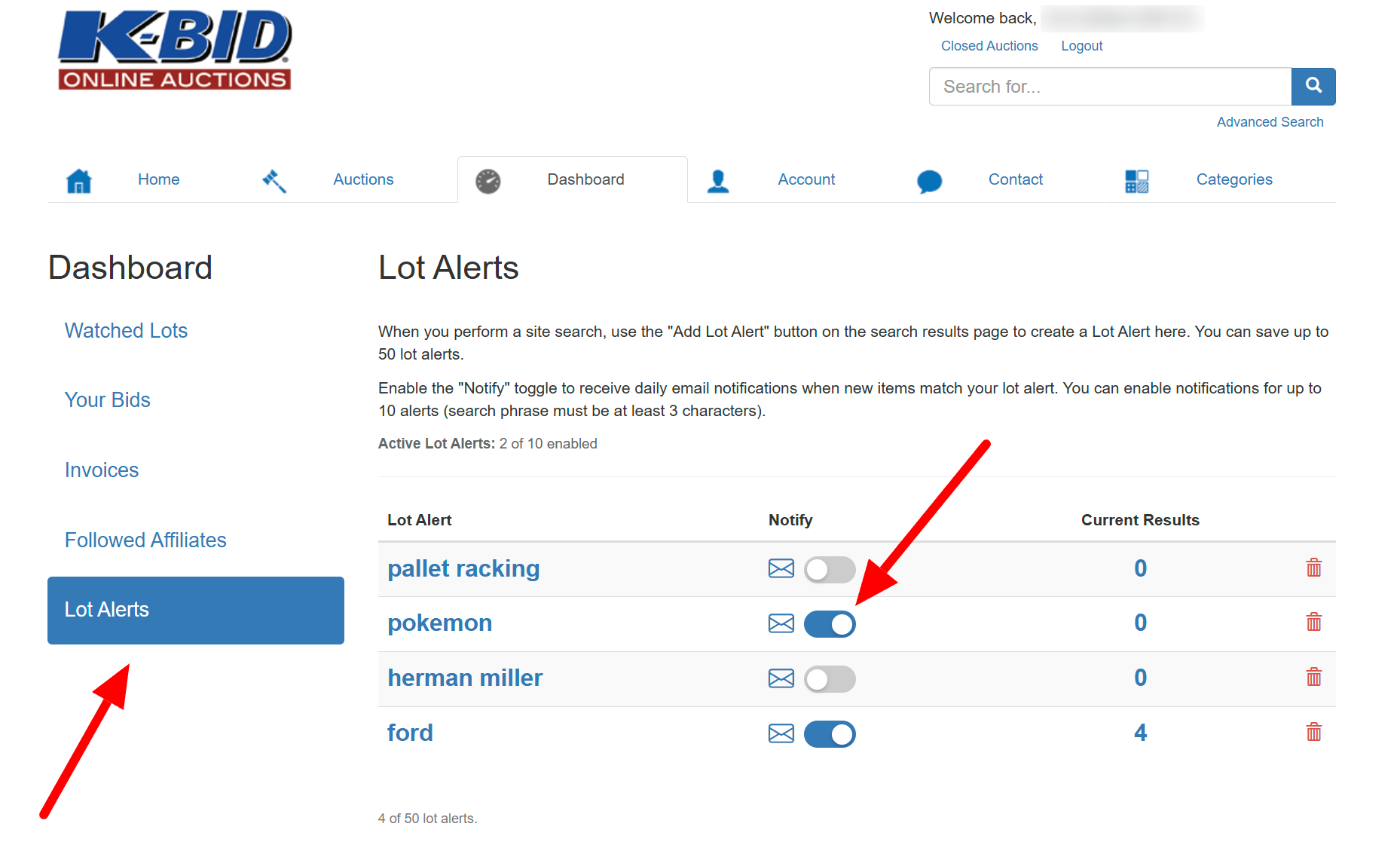
Screenshot placeholder: Lot Alerts section in the Bidder Dashboard.
If new inventory is listed that matches your saved searches, you will receive a Lot Alert email each morning. Each email includes direct links to the matching items so you can view them and place bids quickly.
.jpg)
Screenshot placeholder: Example of the daily Lot Alert email.
Any time you run an advanced search, you can save that search and turn on notifications using the toggle button. This allows you to build alerts based on categories, keywords, location, price range, and more.
Lot Alerts help you find the items you want faster and make sure you never miss new listings.
K-BID is built around one core idea - creating a better online auction experience. These updates are part of a larger effort to make bidding more responsive, improve visibility into new inventory, reduce missed opportunities, and give you more control over how and when you are notified.
If you have suggestions, keep them coming. Many of the best features on K-BID started with bidder input.
Log in, enable SMS alerts, set up your Lot Alerts, and stay ahead of the next great find.